Scheduling
Recurring transactions
Set rent, salary, Netflix, and gym fees up once. Flow records them on schedule, every time.
Where it lives
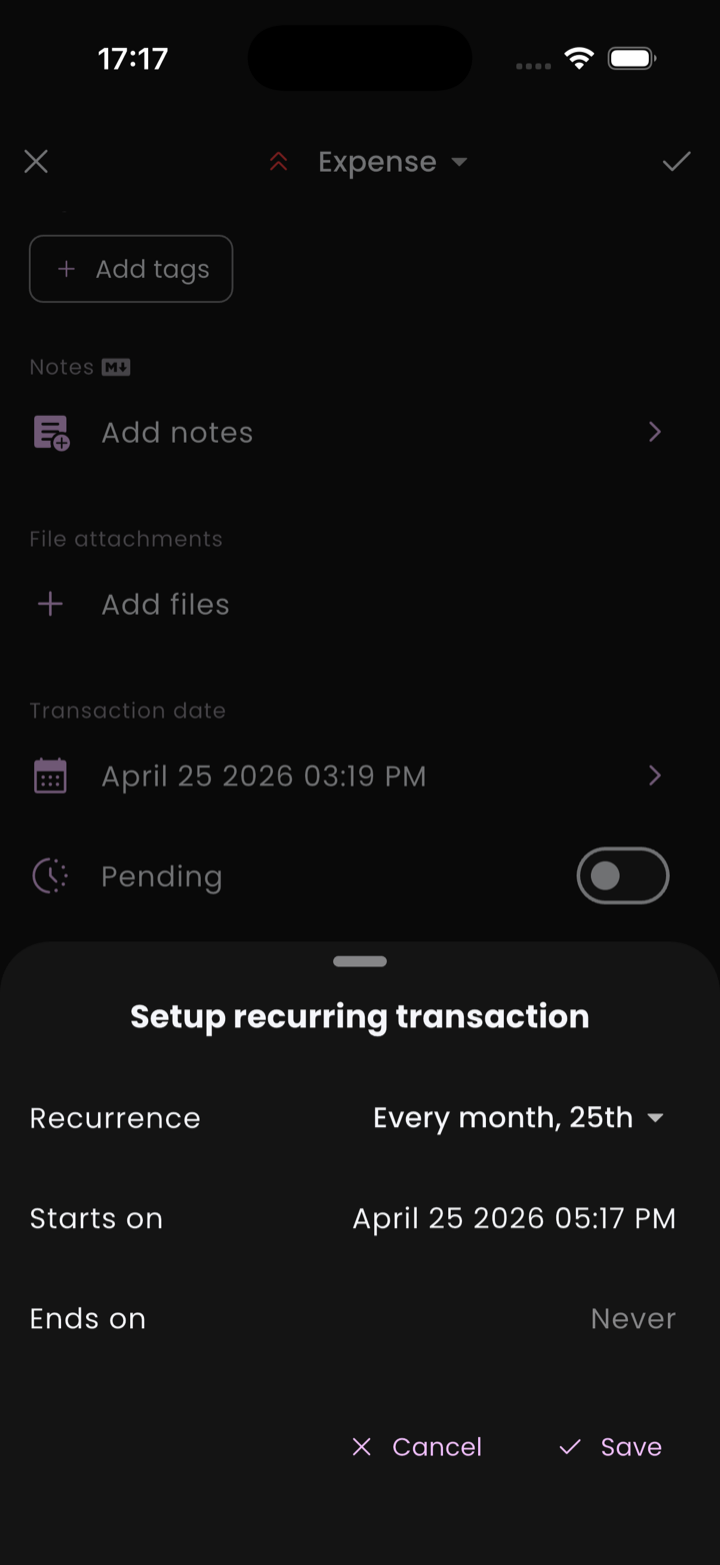
Recurrence isn't a separate screen — it's a section on the transaction itself. Open any transaction (or create a new one), scroll down past the basic fields, and you'll see a Recurrence section. Tap Recurrence setup to open the schedule editor.
The transaction you set this on becomes a template. Flow uses it to generate copies on the schedule you choose.
Picking a schedule
The setup sheet offers presets for the common cases:
- Every day
- Every week
- Every 2 weeks
- Every month
- Every year
And three ways to end the rule:
- Never — runs forever (until you turn it off).
- On a date — the rule stops after that date.
- After N occurrences — Flow shows you the total it'll generate.
How generation works
Flow doesn't pre-generate every future occurrence. When you open the app, it walks the rule forward and creates transactions up through today, plus exactly one occurrence in the future. That single look-ahead is the same regardless of how far behind the rule is — whether it owes you 1 occurrence or 10, you only ever see at most one future-dated transaction at a time.
The next future occurrence is generated only after the current future one moves into the past (i.e. its date arrives). So a monthly rule keeps exactly one upcoming occurrence visible at any given moment.
What happens to those generated transactions depends on a setting in Profile → Preferences → Pending transactions:
- If Require confirmation is on, the future-dated look-ahead lands as a pending transaction you'll need to approve when its date comes.
- If it's off, the look-ahead is confirmed automatically as soon as its date arrives.
Past and present occurrences (the catch-up backlog) follow the same rule — they're confirmed or pending depending on that setting.
ℹ️ Catch-up generation
Editing the rule
Editing the recurring transaction changes the template for future occurrences only. Already-generated transactions in your history keep their original values, so a rent increase doesn't silently rewrite the past.
Stopping a rule
To stop a rule, open the source transaction and either:
- Set the recurrence end date to today (or a date in the past).
- Remove the recurrence entirely from the transaction.
- Delete the source transaction — past generations are kept; no new ones run.
Recurring transfers
Transfers can recur too. Set up a transfer between two of your accounts, then add a recurrence to it — Flow will duplicate the transfer on schedule. Useful for automatic monthly savings deposits.