Scheduling
Pending transactions
A holding area for transactions that haven't hit your books yet — usually scheduled future occurrences from a recurring rule.
What "pending" means
A pending transaction is a real transaction record that's been created but isn't yet counted toward your balances or totals. It's waiting for you to confirm it.
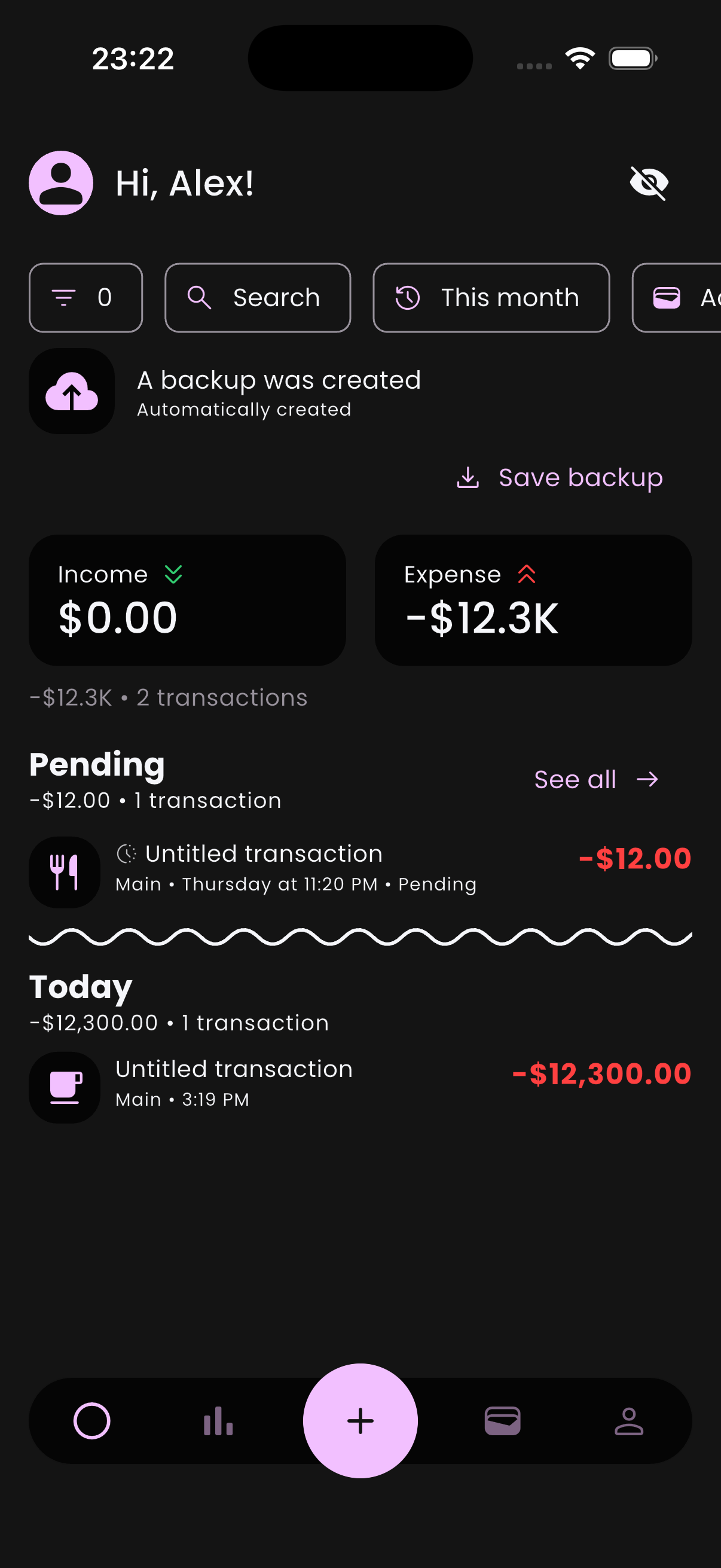
How they show on the home feed:
- All pending transactions are gathered into a single Pending group at the top of the feed, regardless of their dates — they're not split by today / tomorrow / next week.
- A pending transaction that you've explicitly approved ahead of time shows a Pre-approved label inside its list tile. When its date arrives, it'll skip the approval prompt and confirm itself.
Two situations create pending transactions:
- A recurring rule generates a future-dated occurrence and you have Require confirmation turned on.
- You set a future date when creating or editing a transaction. Flow auto-toggles its Pending flag on so it can't silently inflate today's balance — the toggle on the edit page reflects the change, and you can switch it off manually to mark the entry Pre-approved.
Approving
When a pending transaction is in the past or close to due, a Confirm button appears under its list tile. Tap it to promote the transaction to a regular one — it'll start affecting balances immediately.
Pending list tiles also support the same swipe gestures as any other transaction (duplicate, delete, etc.). The Confirm button is the only special action specific to pending.
Settings
Open Profile → Preferences → Pending transactions to control how pending behaves:
- Require confirmation — when on, future recurring occurrences land as pending. When off, they auto-confirm.
- Update date upon confirmation — when on, confirming uses today's date as the transaction date (instead of the originally scheduled date). Handy if you tend to confirm late.
- Notifications — get reminded before a pending transaction comes due. Pick how early: 5 minutes to a week ahead.
- Home feed window — how many days into the future Flow shows pending transactions on your home feed.
💡 A common workflow
If you ignore them
Pending transactions don't expire and don't auto-confirm just because their date has passed. If you stop opening Flow, they pile up until you come back. They don't affect your balances until you confirm them.