Import & Export
Backup & restore
Export everything you've recorded into a single file — and pull it back into Flow on any device.
Where to find it
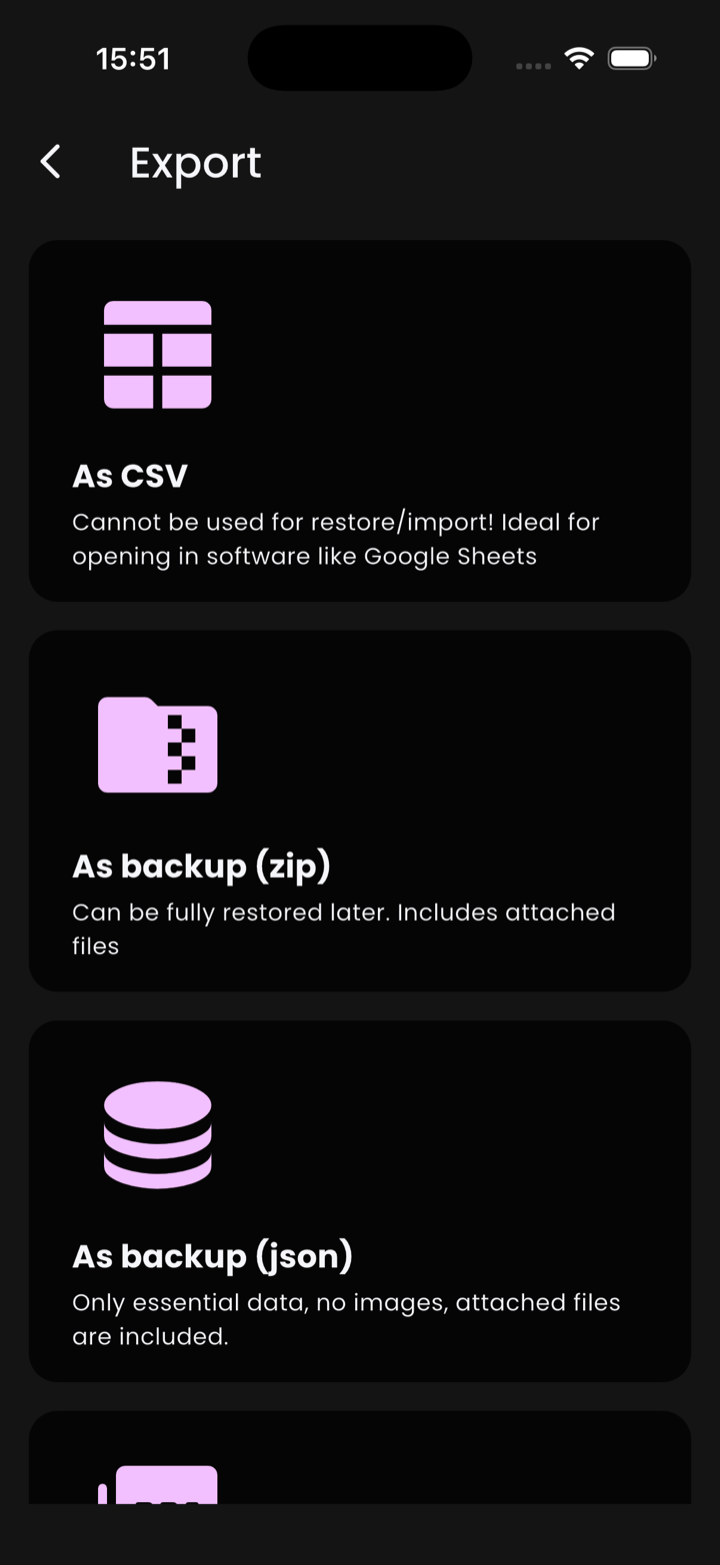
Open Profile → Backup. You'll land on a screen titled Export — a stack of cards, one per format.
The export formats
- As CSV — a flat, spreadsheet-friendly dump. The card itself warns: "Cannot be used for restore/import! Ideal for opening in software like Google Sheets". Read-only.
- As backup (zip) — the full safety net. Includes everything from JSON plus your attached files (receipts, photos). Use this for moving devices.
- As backup (json) — only essential data. No images or attached files. Restorable into Flow.
- Statements (PDF) — a printable statement view. Not an official statement and not restorable. Useful for sharing with an accountant.
- Backup history — a list of past exports with timestamps, so you can re-share or compare.
⚠️ CSV and PDF are one-way
Neither is a true backup. If your phone dies, only ZIP or JSON will bring your
data back — and only ZIP preserves attachments. The Export screen's CSV is for spreadsheets, not for re-importing
into Flow. (For an importable CSV, see Get CSV template on the Import screen.)
Exporting
- Open Profile → Backup.
- Pick As backup (zip) (recommended) or As backup (json).
- The system share sheet appears. Save the file somewhere durable — iCloud Drive, Google Drive, AirDrop to another device, email it to yourself.
1 2 3
Restoring
To restore — on a new phone, after a reinstall, or to roll back a mistake:
- Install Flow on the device.
- Go to Profile → Import.
- Tap Select a file and pick the ZIP or JSON. Flow auto-detects the format.
- Confirm. Restoring replaces your current data.
See Importing data for the full Import screen, including Ivy Wallet migration and the importable CSV template.
ℹ️ Replace, not merge
Restore is destructive on purpose. There is no deduplicating merge mode — if you want to combine two devices, you'll
need to do it manually before restoring.
How often should I back up?
If you've enabled auto-backup to iCloud, Flow does it for you. Otherwise: any time you're about to switch phones, reinstall, or experiment with risky imports. A monthly manual ZIP export to a cloud drive is a sensible floor.